
Home›Frankie for Chrome
NewNow in the Chrome Web Store
Frankie, right beside every website
FrankieGPT for Google Chrome puts your assistant in the side of your browser. He reads the page with you, shows you exactly where to click, fills in forms when you say so, and warns you the moment a page looks like a scam.
Add Frankie to ChromeFree to add. Works on Windows, Mac, Chromebook and Linux. On a phone? Get the app instead.
In Chrome
Everything he does on the phone, and more
The same Frankie, the same memory and the same conversation, now sitting beside the page you are looking at.
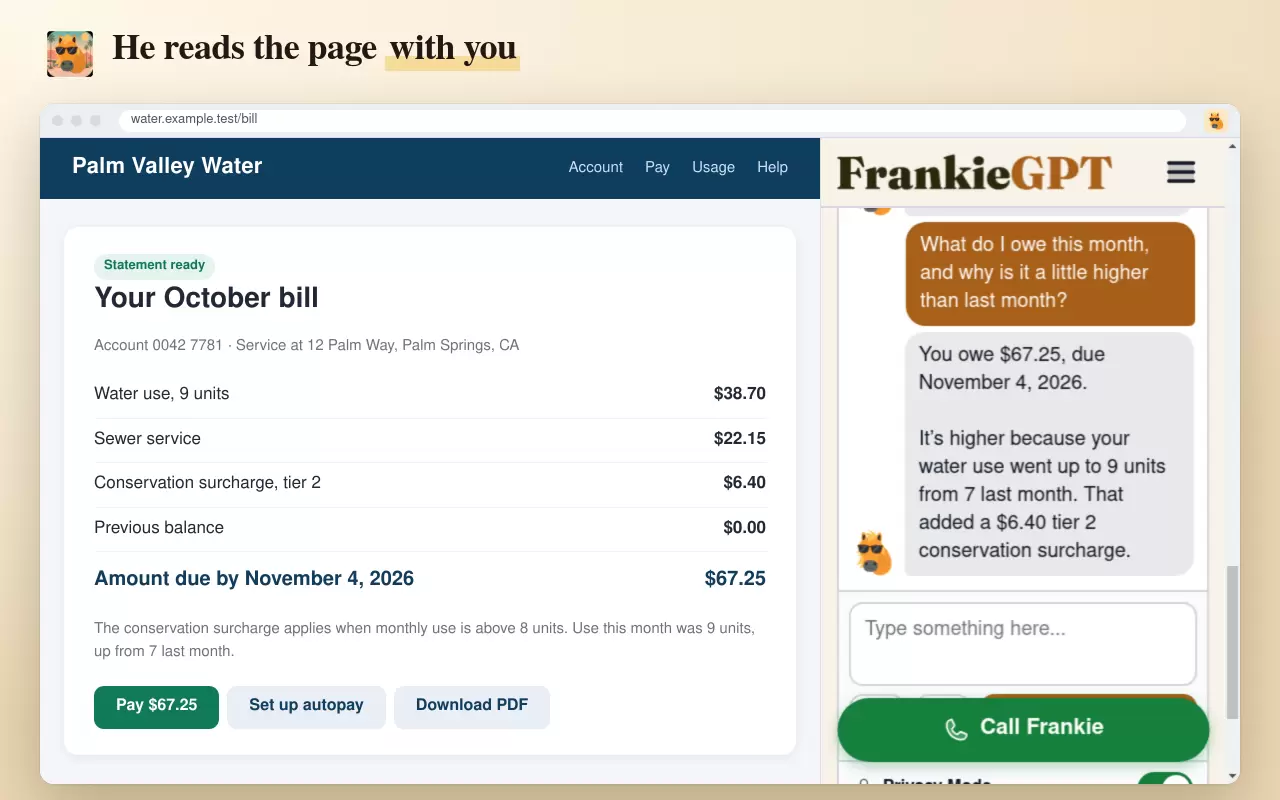
He reads the page with you
A letter from the bank, a medical bill, a letter from the county, a long article. Ask what it means and Frankie answers about the page in front of you, in plain words.
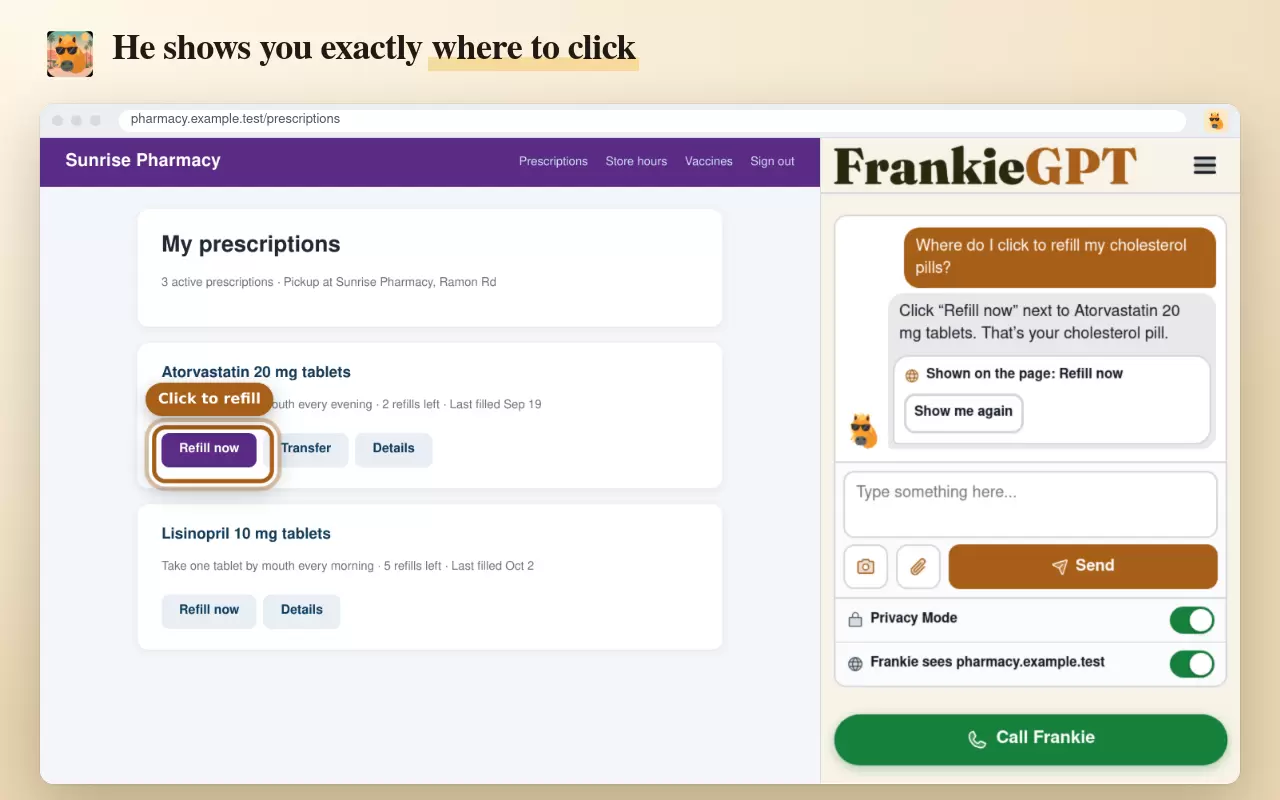
You sayWhat is this charge for?He shows you where to click
No more hunting for a tiny link. Frankie puts a glowing ring around the right button and scrolls it into view, and if you missed it, Show me again brings it back.
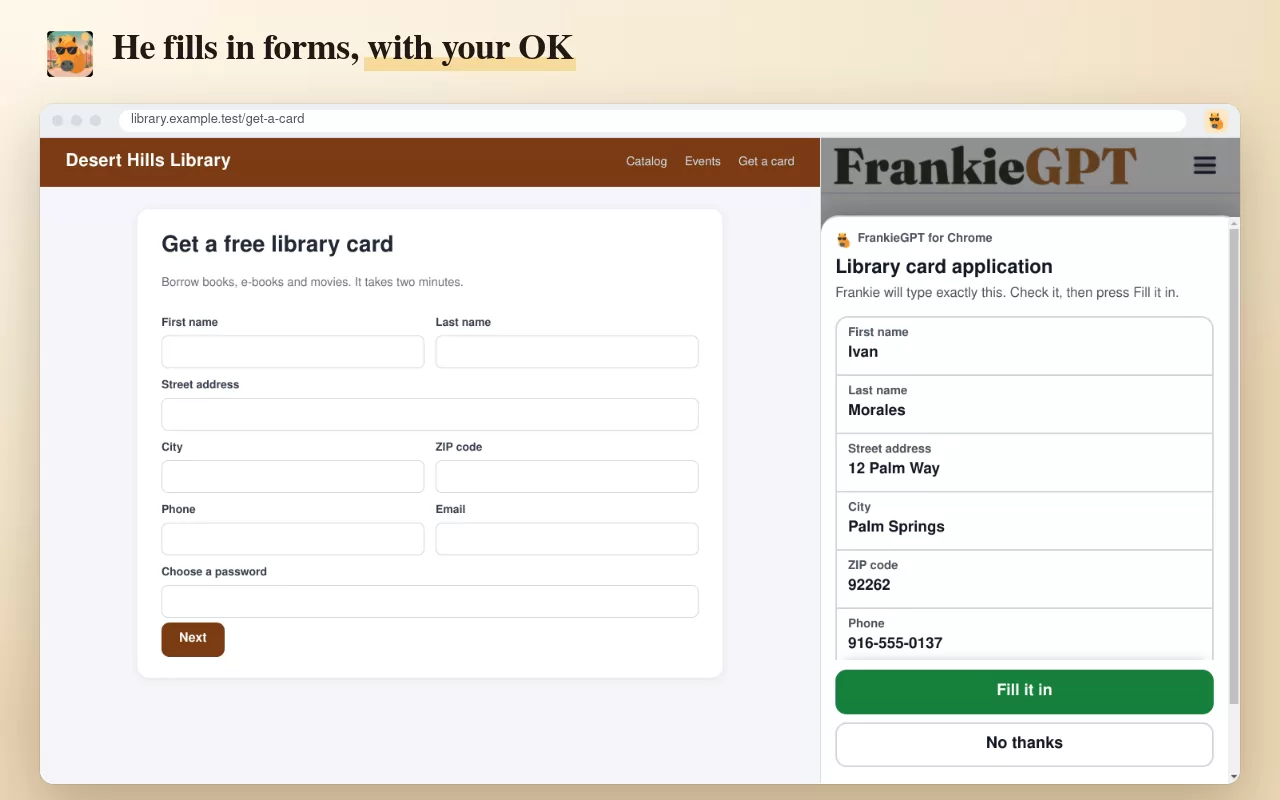
You sayWhere do I sign in?He fills in forms for you
Your name, address, phone and email, typed for you after you check them on one clear screen and press Fill it in. He can press Next and Close for you too.
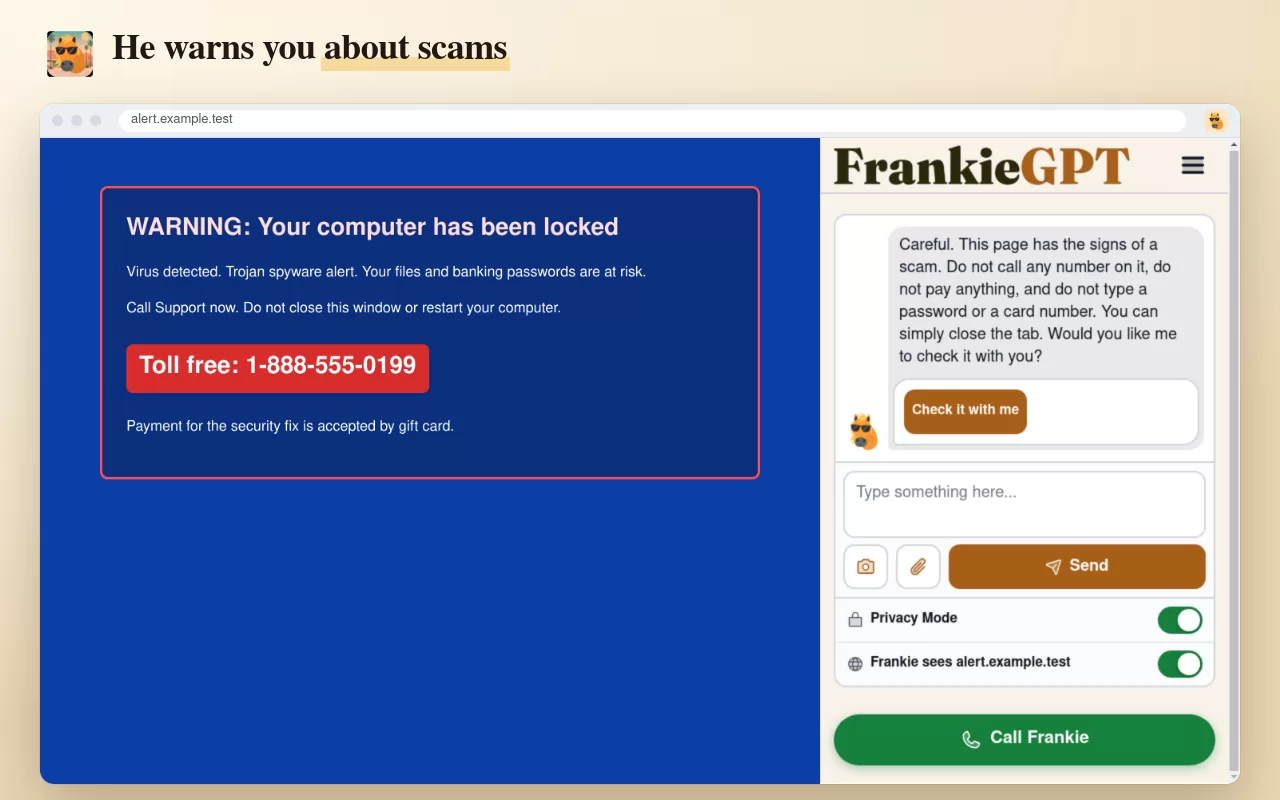
You sayFill in my address.He watches out for scams
A fake virus warning, a number to call, a demand for gift cards, a look-alike address or a brand new site dressed up as your bank. Frankie spots the signs and tells you calmly what to do.
You sayIs this page real?Bigger words, found tabs
Text too small? He makes it bigger, and Chrome remembers it for that site. Lost a page? He finds the tab and brings it straight back.
You sayWhere did my email go?Right click, Ask Frankie
Select any words, a link or a picture on any website, right click, and choose Ask Frankie about this. He answers in the side panel without you copying a thing.
You doRight click a strange word in a letter.Talk or type, in your language
Press Call Frankie and simply talk to him, or type if you prefer. He answers in any of sixteen languages, and follows you when you switch.
You say¿Qué dice esta página?Sign in with your phone
No password to remember. Point your phone camera at the square on the computer screen, press Yes on your phone, and you are in.
ResultSigned in, without typing a thing.One conversation, phone and computer
Start on your phone, carry on at the computer, and go back again. Calls, typing and pictures are one conversation wherever you are.
You sayWhat were we just talking about?See him at work
What it looks like in your Chrome
Real screens from FrankieGPT for Chrome, on made up websites.
Safe by design
You stay in charge of every click
Frankie never presses anything that pays, buys, orders, transfers or sends money. Those buttons are always yours.
What you type into password, card and code boxes is never read and never filled in by Frankie.
He looks at a page only while you are talking to him, after you have said he may, and nothing he reads is kept.
Before he types or presses anything, Chrome shows you exactly what will happen, and nothing happens until you press OK.
Getting started
Three steps, about a minute
1. Add him to Chrome
From the Chrome Web Store, in one click. A family member can do it for you in a moment.
2. Sign in
With your email and password, or with your phone: point the camera at the square on the screen and press Yes.
3. Pin his face
Click the puzzle piece at the top right of Chrome, then the pin beside FrankieGPT. He is one click away from then on.

Questions
About Frankie for Chrome
Is it the same Frankie as on my phone?
Can Frankie see everything I do on the computer?
Will Frankie ever buy something or move money?
What about passwords and card numbers?
How do I sign in?
Can I talk to him out loud on the computer?
Which languages does he speak?
Which computers does it work on?
I use Safari, Firefox or Edge. Can I still have Frankie on the computer?
Can I add it on my phone?
Do I need a FrankieGPT account first?

Put Frankie beside every website
Add him to Chrome on the computer, keep him on your phone, and carry one conversation between the two.
Start free

Free on iPhone, Android and Google Chrome
Free to start, and no card is asked for. Set Frankie up the way you want him and get to know him properly.